
Progress Tab
Each student has an official and planned audit.
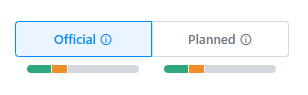
The official audit includes only officially declared programs and courses that are completed or registered.
The planned audit will included all taken, registered courses. It will also include any programs and courses a student or advisor added to the planner. These are not considered official. Information about what-if functionality on the planned audit can be found on the Plans Tab page.
The degree audit processes top-down. This means that the requirements at the top of the audit will take in available courses before courses lower on the audit. Courses with higher grades will also be preferred over courses with lower grades. Completed courses are prioritized over in progress courses when a course is repeated (see Count this Course to modify this processing). Courses will not split automatically on the audit if only a part of the course can be used to complete a requirement (see Move Excess Hours to post an exception for this).
In general, audits are built in the following order (depending on what may apply based on the student, plan, and level):
- Major (primary plan)
- 2nd Major
- Minor
- Certificate
- Additional requirements (World Language, Honors)
- Total Hours requirements
- Unmatched courses
If a student is pursing multiple degrees, these will repeat (with the exception of unmatched - that is only included one time per student).
Courses will apply to unmatched if they are not eligible to meet other requirements. For example:
- Failed courses
- Courses with a W
- Courses that exceed repeatability limits (as listed in SIS)
- Remedial courses
- Courses that are at a level that does not match the level of any active audits on the student's record
- Courses that exceed the total minimum hours to meet degree requirements (This will vary depending on the structure of the total minimum hours requirement)
- If a total minimum hours requirement is set up as "All hours" with an additional requirement "Take at least [x] hours in total," courses that exceed the total minimum hours to meet degree requirements will not go to unmatched.
- If a total minimum hours requirement is set up as "Take at least [x] hours," courses that exceed [x] will go unmatched. However, until the student is closer to exceeding the minimum, courses that may not be needed for total minimum hours will appear in this section and then eventually go to unmatched as the student takes more courses.
A glossary of the symbols used in BDP is available in the Stellic symbols glossary.
The audit will recompute if a change is made:
- Exception is posted (refreshes immediately)
- New transfer credit is posted (refreshes immediately)
- Something on the student record changes in SIS (refreshes in overnight process)
- Something on the audit is republished by the degree audit team (refreshes immediately when publish has completed)
The planned audit will also refresh automatically when something is updated on the planner (changed courses, changed plans).
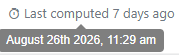
In the upper right hand corner of the Progress tab, the audit will list the amount of time that has elapsed since the audit was refreshed. If you hover it, it will tell you the exact date and time.
Transfer credit in BDP will show information about the course and where it originated from. Transcript details can be found on the Transfers tab.
The listing for transfer credits will show the OSU equivalency (whether a direct equivalent or Special, Technical, or General credit). It will also list the institution, the course code, and course title, the credits, the term, and the grade the credit originated from. If any tags are attached to the courses (such as OT36 or OAN), these will also appear. The course will also list the term in which a course was transferred to OSU (and therefore which rules it uses to apply to a requirement. It will also list the OSU grade equivalancy.