Move Excess Hours
This exception is used to split out excess hours from a requirement. This may be done to permit the extra hours to count elsewhere or to allow hours from a course that straddles a limit to count some, but not all, of the hours toward a requirement.
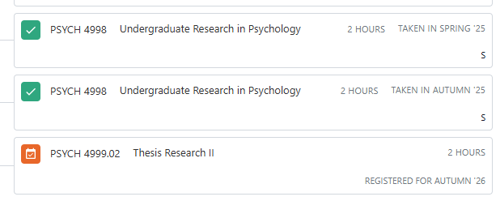
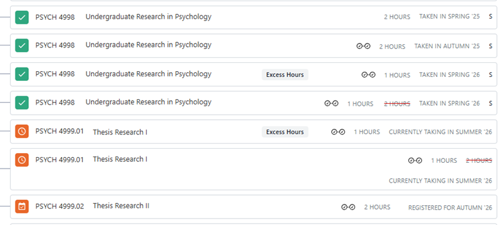
In this example, the student took four hours of PSYCH 4998 and four hours between PSYCH 4999.01 and PSYCH 4999.02. They are limited to 3 hours of 4998 and four hours of 4999.xx courses, so the extra instances are being limited out and the requirement is still looking for 2 more hours to go complete.
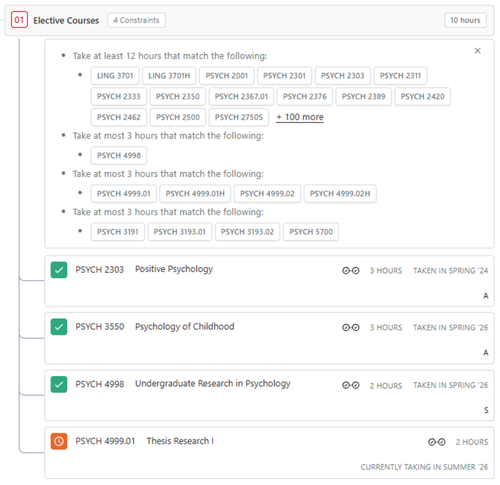
The student has taken additional instances of these courses that are not counting and fulfilling the final 2 hours needed for the electives.
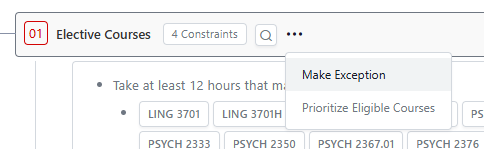
Use the three dots next to the requirement name where the hours you would like to split are to open the options menu. Select “Make Exception.”
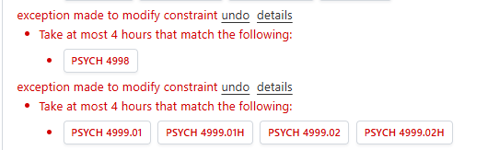
On the menu, select “Waive or Modify Requirement Constraint.” Please note that this will be deleted at the end of this process.
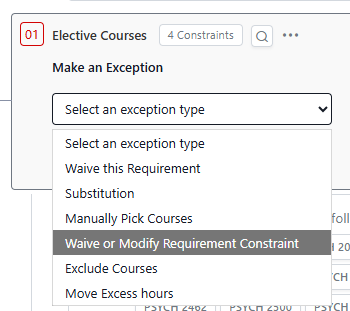
Increase the limit to 4 hours for PSYCH 4998.
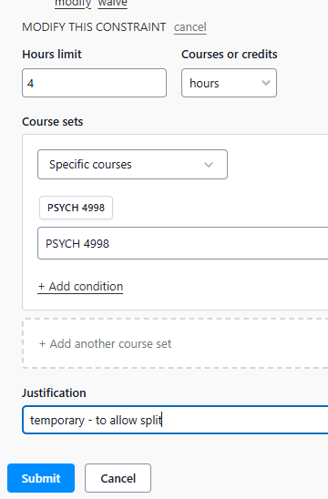
Because there is a second course being split, this will need to be repeated for the PSYCH 4999.xx option.
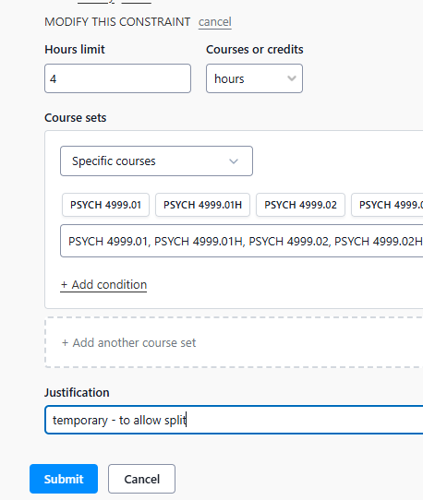
The extra hours are counting now and can be split. This was needed to give the requirement the excess hours so there is something there that it considers excess.
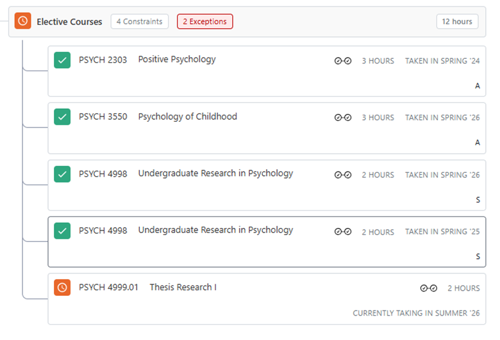
Go back to the requirement and make an exception again.
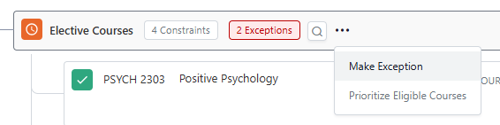
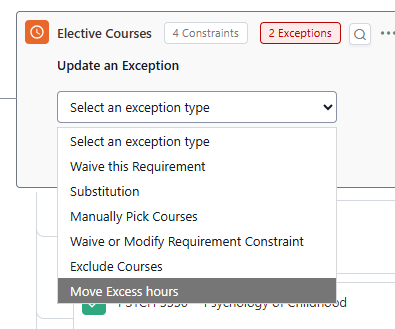
Select Move Excess Hours.
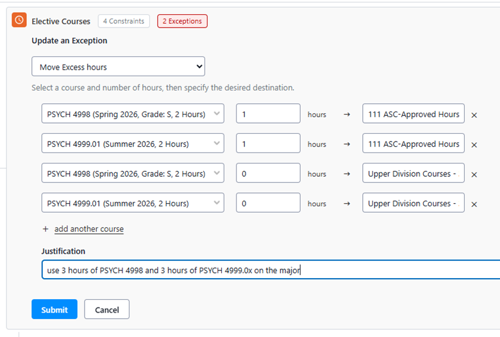
Enter the courses you wish to split and where you want them to go. In many cases, it may just be to the total hours requirement. For ASC, if upper division, they will also need to be moved to that requirement.
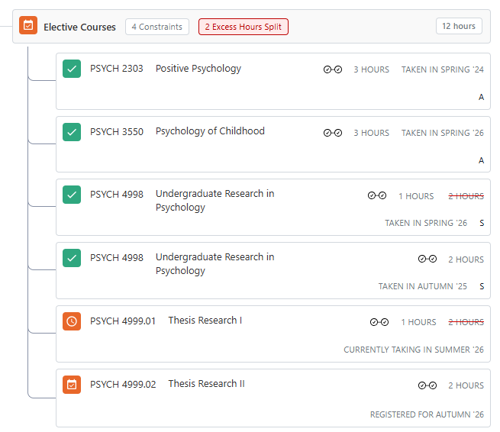
Now there are 12 hours total and you can see the split courses.
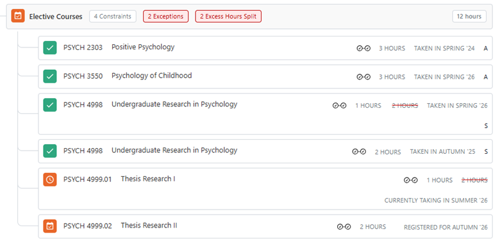
They may be shown as split in the total hours calculation.
These two 2 exceptions need to be deleted. Click undo.
However, the split courses will still apply because they are within the limit.