
Exclude Courses
This exception type is used to remove courses from counting in a particular area. This would most likely be used to move the course to another requirement where it is also permitted (such as moving from a major to a minor).
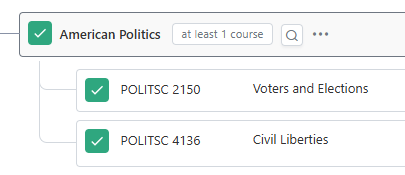
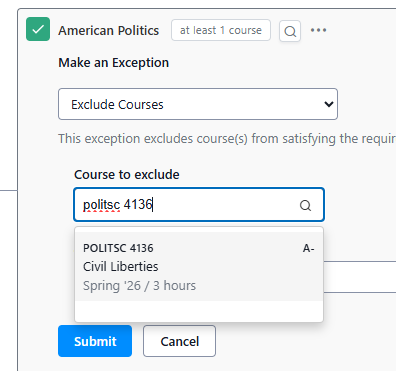
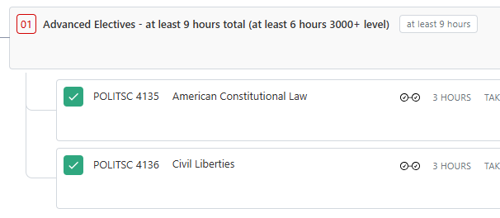
In this example, a student has POLITSC 4136 that is currently counting on the major, but could also be used on the minor. It is not needed in the major requirement because the constraint is only looking for 1 course, but the student has 2 courses counting (to go toward total major hours), so they would like to move it to the minor.
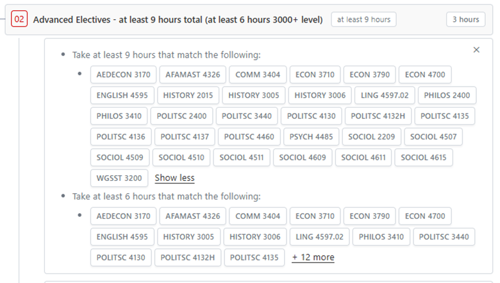
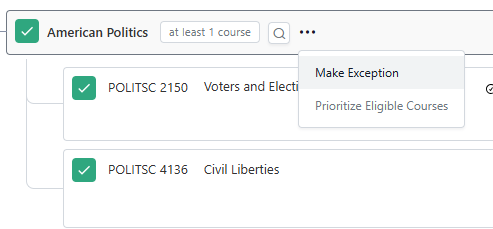
Use the three dots next to the requirement name where the course you would like to exclude is to open the options menu. Select “Make Exception.”
On the menu, select “Waive or Modify Requirement Constraint.”
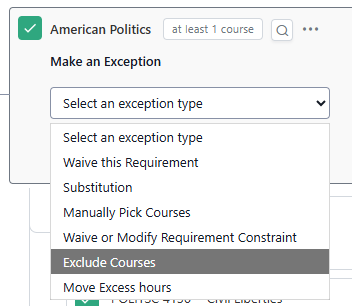
Enter the course(s) you would like to exclude from the requirement. For courses that can be in multiple places in a major, you may want to enter this exception at a higher level or multiple exceptions may be needed to make this work. Enter a justification and click submit.
Now, POLITSC 4136 is counting toward the minor.
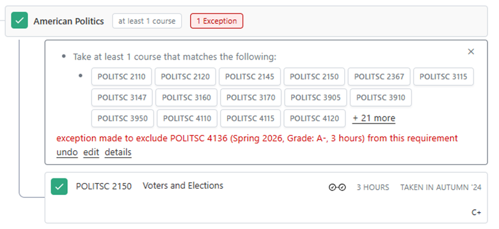
In the major requirements where the exception was posted, you click on the red box where it says “1 Exception,” you can see details about the exception.
As an alternative to exclude courses, you can do Prioritize Eligible Courses (they are not always interchangeable, but often either would work).