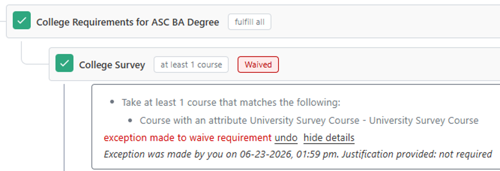
Waive this Requirement
This exception type does exactly what it sounds like – it waives the requirement. No classes are needed and the requirement will go complete with nothing in it. When waiving a requirement, it is important that you look at the specific location where you are adding the exception to ensure you are not waiving more than is necessary/allowed.
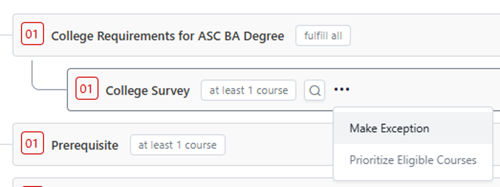
In this example, a student is allowed to have their college survey requirement waived. Next to the College Survey requirement, click on the three dots and “Make Exception.”
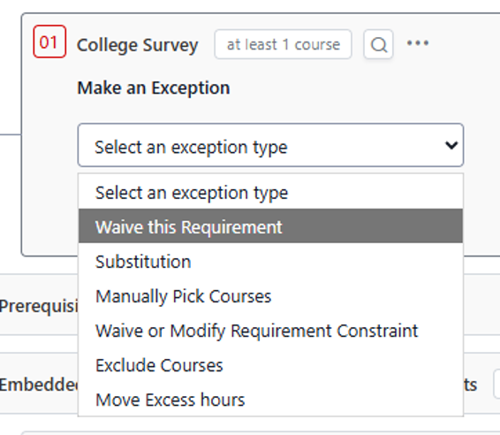
Choose “Waive this Requirement.” Enter a justification and click submit.
The College Survey requirement is now complete with no courses. If you click on the red box where it says “Waived,” you can see details about the exception.