
Waive or Modify Requirement Constraint
This type of exception is used to modify constraints or waive parts of a requirement. This is a very common exception type.
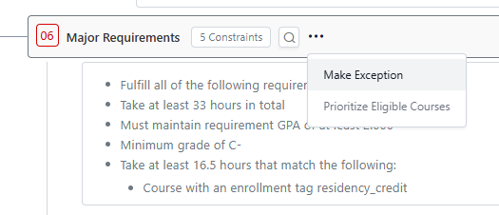
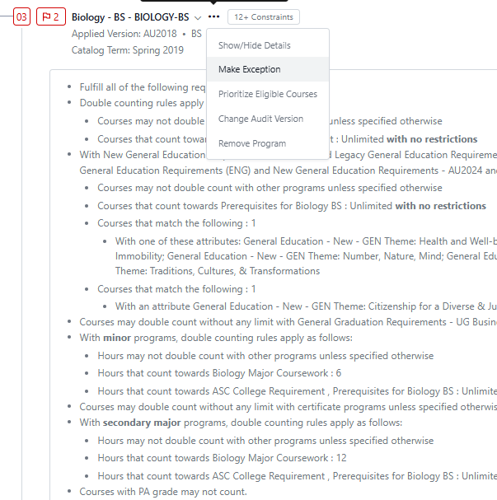
Use the three dots next to the requirement name to open the options menu. Select “Make Exception.”
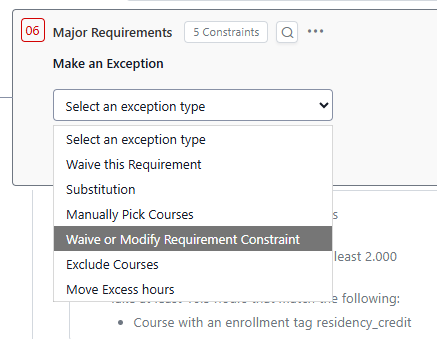
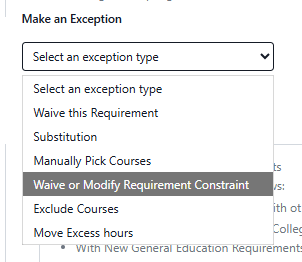
Select “Waive or Modify Requirement Constraint” from the list of exception types.
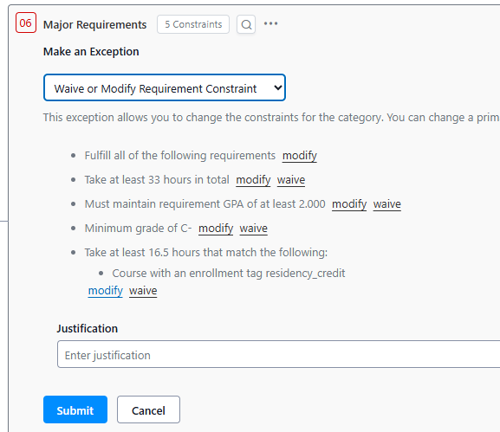
Select which constraint you want to waive or modify.
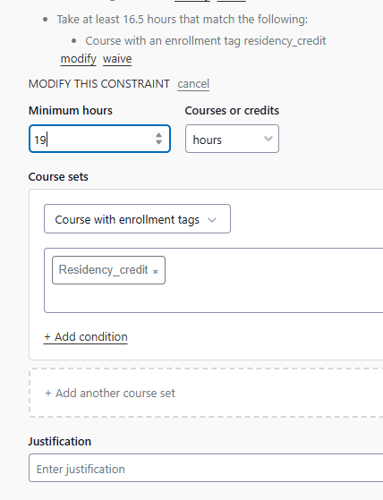
The modification options will open below the constraints (may need to scroll to see them). Enter the modification(s) you want to make. Enter a justification and click submit.
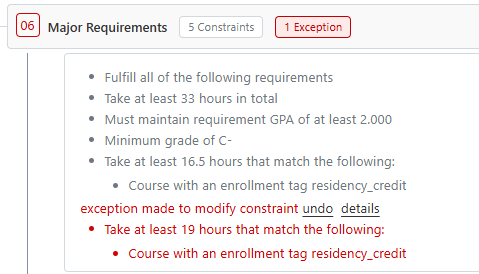
You can see the original constraints are all still listed. The red text indicates what was modified. If you click on the red box where it says “1 Exception,” you can see details about the exception.
If a student took courses in SP2020 or AU2020 and got PA grades, those courses will not fulfill degree requirements. Where permitted, they will need to be entered by exception. In this case, you would be modifying the grade constraint that restricts PA from counting – this is usually near the top of each academic program. If students have multiple courses from multiple programs, this exception may need to be entered multiple times.
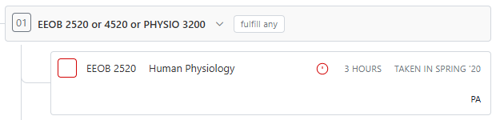
In this example, the student took EEOB 2520 in SP2020, when PA grades were permitted to count on the major. The red circle indicates that the course was completed, but the grade is not sufficient to meet degree requirements, so it is not counting.
The constraint that keeps PA grades out of the major requirements are at the very top of the major requirements, so the exception needs to be posted there. Click the three dots by the very top of the program to open the menu and select “Make Exception.”
On the menu, select “Waive or Modify Requirement Constraint.”
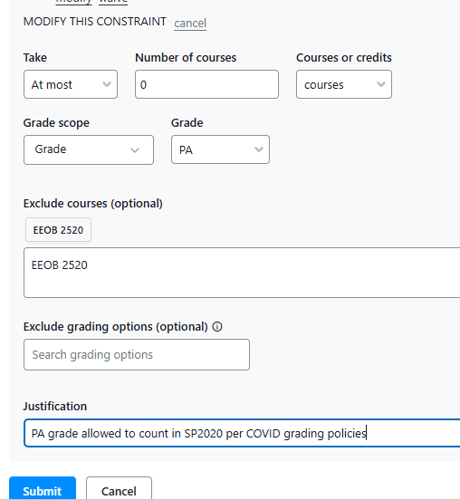
By the constraint “Courses with PA grade may not count,” click modify.

The modification options will open below the constraints (may need to scroll to see them). Enter the course(s) with a PA grade that should be allowed to count. Enter a justification and click submit.
The original constraints are all still listed. The red text indicates what was modified. If you click on the red box where it says “1 Exception,” you can see details about the exception.


EEON 2520 from Spring 2020 with a PA grade is now counting toward the major.
