Substitution
This type of exception is used to add an additional course or courses to the existing options or to substitute one option for another. This is a very common exception type.
There are various ways that this can be used, depending on what you need to make an exception to and how the requirement is structured.
If a requirement has a list of courses in a grouping (will say “Take at least X courses/hours that matched the following”), you will need to post a substitution exception at the requirement level. This would allow you to add another course or courses to the options (multiple courses can be added to a single substitution exception on the same requirement). **If you are truly trying to substitute a course and not allowing the course normally allowed, you can consider using a “Waive or Modify Requirement Constraint” exception type instead.

Select “Substitution” from the list of exception types.
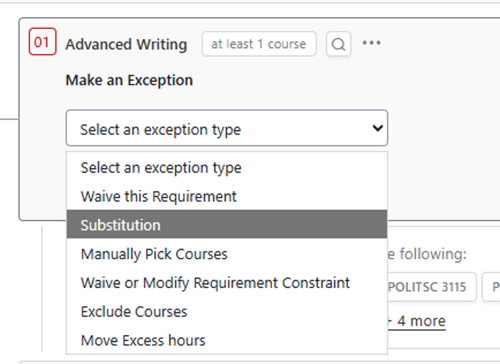
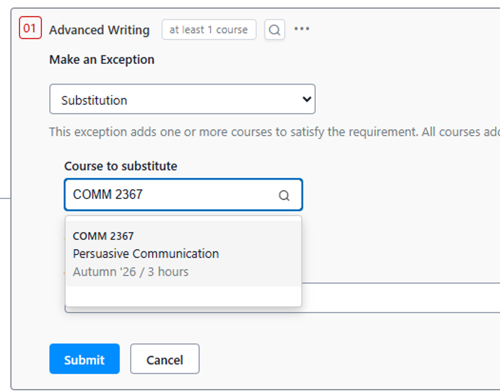
Enter the course from the student’s audit or planner. Enter a justification and click submit.
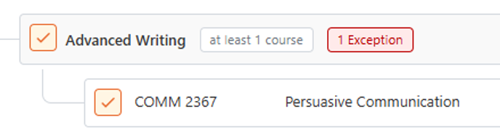
COMM 2367 is now fulfilling the Advanced Writing requirement. If you click on the red box where it says “1 Exception,” you can see details about the exception.
If a requirement is a “fulfill any” requirement, you can do a substitution at the course level or the requirement level. If a requirement is a “fulfill all" requirement, you should do a substitution at the course level (doing the exception at the requirement level will add that course to the list of all courses that need to be completed rather than substituting – so think about what your desired outcome is when selecting this type).
In this case, the requirement is “fulfill any,” so the exception could be posted to the requirement or as a true course substitution. Use the three dots next to the requirement name to open the options menu. Select “Make Exception.”
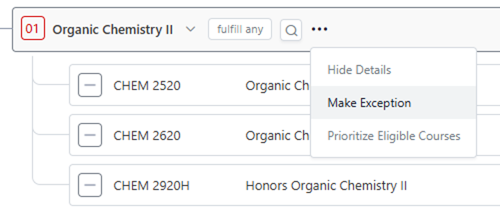
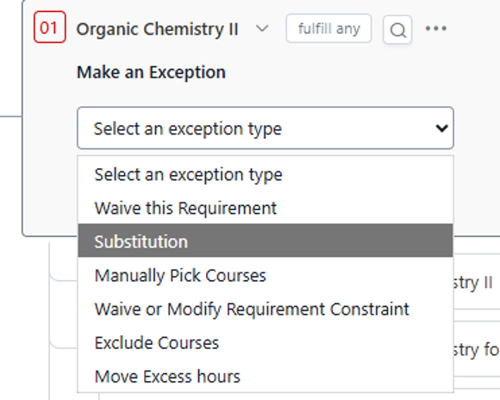
Select “Substitution” from the list of exception types.
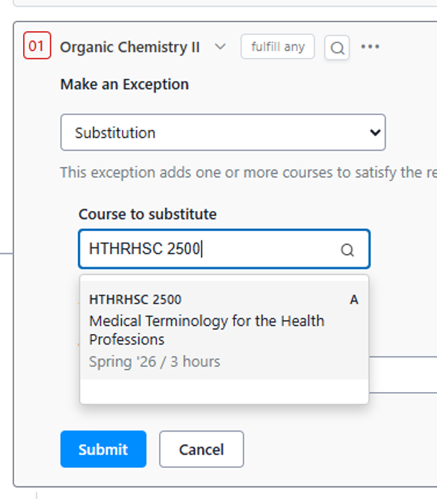
Enter the course from the student’s audit or planner. Enter a justification and click submit.
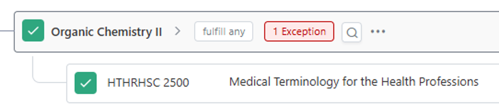
HTHRHSC 2500 is now fulfilling the Organic Chemistry requirement. If you click on the red box where it says “1 Exception,” you can see details about the exception.
Alternatively, you can directly substitute HTHRHSC 2500 for one of the options in the list. Use the three dots next to one of the courses to open the menu and select “Make Exception.”
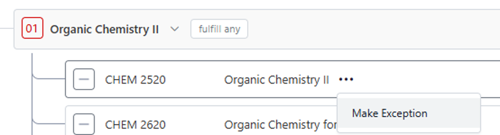
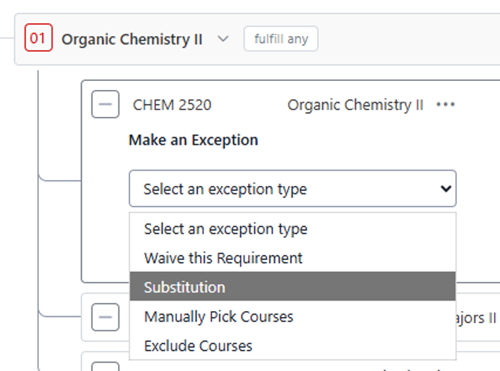
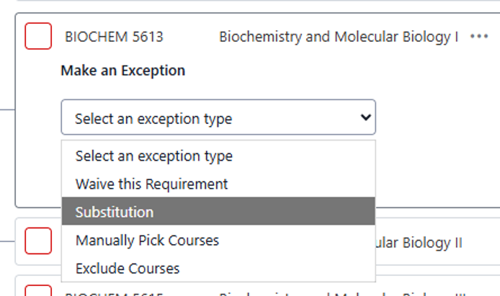
There are fewer exception type options available when doing an exception on a course. Select “Substitution.”
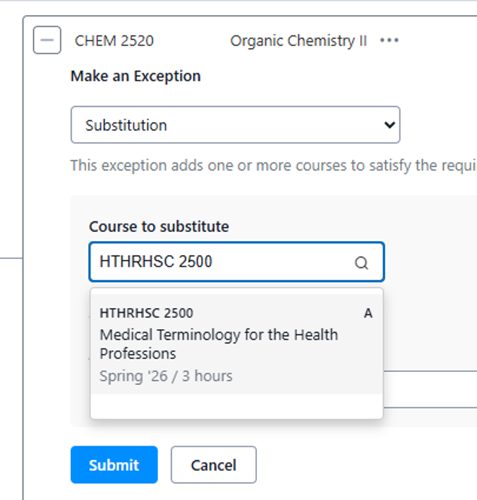
Enter the course from the student’s audit or planner. Enter a justification and click submit.
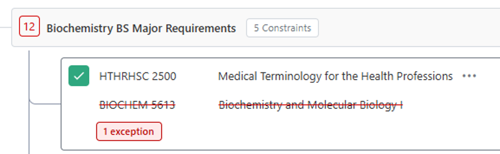
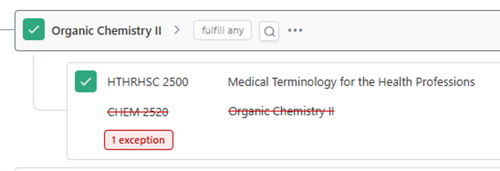
Now it shows as substituting one course for another. If you click on the red box where it says “1 Exception,” you can see details about the exception.
In another case, the requirement is “fulfill all,” so an exception posted at the requirement level will add a course to list of all required courses. In general, for a “fulfill all” requirement, the best option is to post a substitution at the course level.
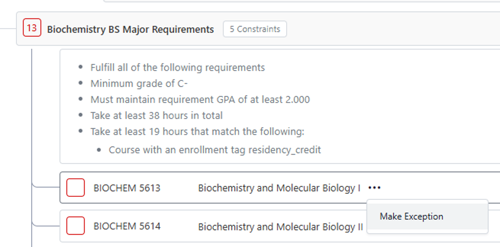
Select “Substitution.”
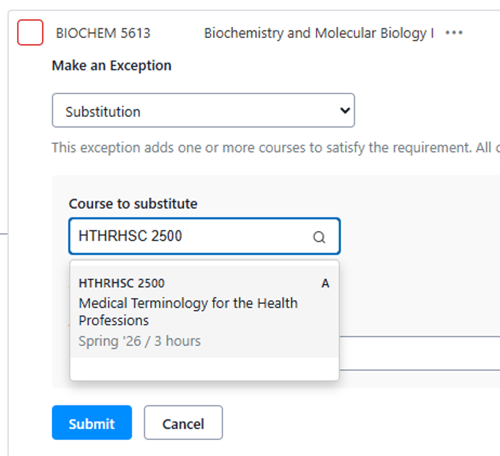
Enter the course from the student’s audit. Enter a justification and click submit.
One fewer course is now required, and it shows as substituting one course for another. If you click on the red box where it says “1 Exception,” you can see details about the exception.